

-
Which internal components are required to build a PC?
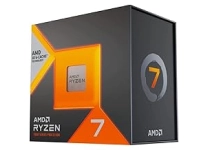
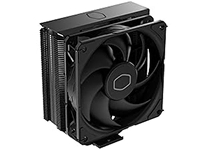
To build a fully functional computer, you need a core set of essential computer internal components. This includes a central processing unit (CPU), a compatible motherboard, system memory (RAM), a graphics card (unless your CPU has integrated graphics), an internal storage device like an SSD, a reliable power supply unit (PSU), and a cooling system to keep your processor safe. -
What is the role of a motherboard in a computer?
The motherboard acts as the main physical foundation and communication hub for your entire computer system. It distributes power from your power supply to all your hardware and allows your processor, RAM, storage drives, and graphics card to communicate at incredibly fast speeds, ensuring your computer operates as a single, unified machine. -
How much RAM do I need for gaming and multitasking?
For an optimal modern computing experience, 16GB of RAM is considered the ideal baseline standard for everyday productivity and mainstream gaming. However, if you are building a high-end gaming PC upgrade, editing large 4K video files, or running virtual development machines, upgrading to 32GB of high-speed DDR5 RAM ensures your system has plenty of headroom to handle heavy multitasking without slowing down. -
How can I improve PC performance with internal upgrades?
The fastest way to boost an ageing computers performance is to identify and replace its slowest components. Upgrading an old mechanical drive to a high-speed internal solid-state drive provides an immediate boost to your boot times, while adding more RAM prevents your system from stuttering when multiple programs are open. If your games are lagging, installing a fresh graphics card will instantly lift your frame rates. -
What should I consider when choosing a power supply?
When shopping for a desktop power supply unit, you need to focus on total wattage capacity, build quality, and efficiency ratings. Choose a power supply that comfortably handles the combined power draw of your CPU and GPU, and look for an "80 Plus" efficiency certification (such as Bronze, Gold, or Platinum) to ensure it runs cool, saves energy, and delivers stable power to your parts. -
Can I replace internal computer components myself?
Yes, replacing or upgrading internal computer hardware is a straightforward task you can easily do at home with a few basic tools, like a Phillips screwdriver. By following your component manuals closely, working slowly on a clean surface, and making sure your PC is completely unplugged from the wall, you can successfully upgrade your systems capabilities yourself.
- Home Page /
- Electronics /
- Computer & Tablets /
- Computer Components /
- Computer Internal Components

Delivery
Delivery time may vary depending on store and country. To learn more about Shipping Policy
Price Range
VND
-
Shop Category
Shop Computer Internal Components Online in Vietnam
Sort by
|


US Store
Canon EOS R50 Mirrorless Camera White + 3 Lens Kit 18-45mm + 32GB + Flash & More - ...
VND 25372940


US Store
Ors Olive Oil Built-in Protection , Full Application, No-Lye Hair Relaxer Normal
VND 969900


US Store
CyclingDeal Bike Travel Case | Lightweight & Durable Bike Case For Flying W/EVA ...
VND 21545352

US Store
Mavala Stop Deterrent Nail Polish Treatment | Nail Care to Help Stop Putting ...
VND 541809


US Store
Outre Lace Front Wig - Perfect Hair Line 13X6 - Jaylin (1B/DRFF SCARLET RED FROST)
VND 1883785


US Store
Moroccanoil Hydrating Shampoo 33.8 oz & Hydrating Conditioner 33.8 oz Combo Pack
VND 4119868


US Store
Nautica Mens Slip-On Sneakers Casual Fashion Shoes For Walking, In Medium & Wide ...
VND 1386072
US Store
Revival Animal Health Breeder's Edge Nurture Mate- Colostrum Supplement- for ...
VND 1595908


US Store
BAMBOO COOL Mens Underwear Breathable Boxer Briefs With Fly Moisture-Wicking ...
VND 1039851


US Store
Bauerfeind Sports Knee Support - Knee Brace For Pain Relief And Stabilization - ...
VND 3936081



US Store
Nutricost Myo Inositol & D-Chiro Inositol For Women 2000mg, 120 Capsules, 2000mg ...
VND 1021086


