- Trang chủ /
- Điện tử /
- Computers, Laptops and Tablets /
- Computer Software for Home & Office /
- Photo, Video & Music Editing Software /
- ClearClick VHS to DVD Wizard Software with US...
0 ratings


Sản phẩm #:
13425973
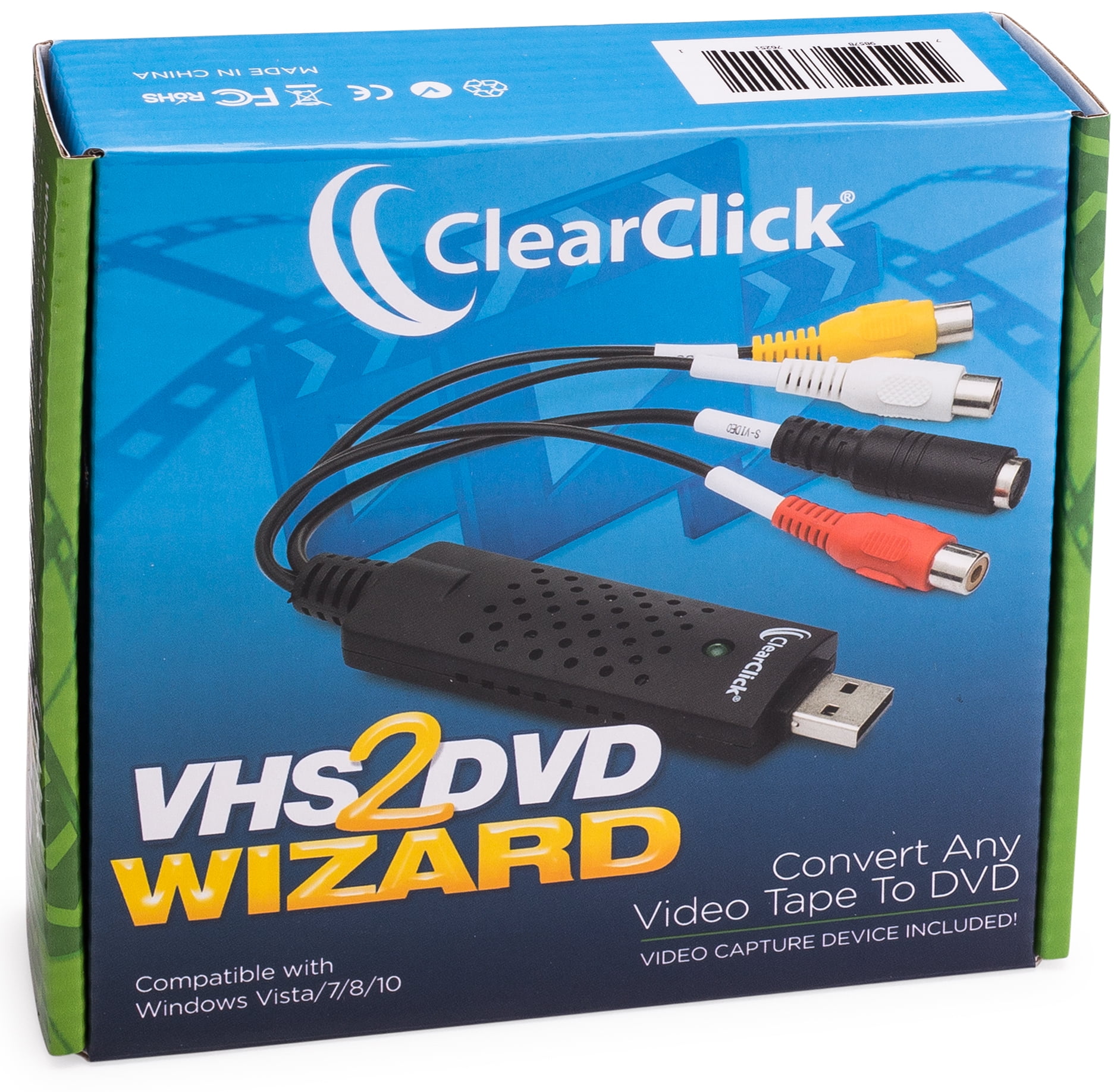
ClearClick VHS to DVD Wizard Software with USB Video Capture Device (DVD)
Sản phẩm #:
13425973
VND 1461740
Price Details
Excluding Shipping & Custom charges ( Shipping and custom charges will be calculated on checkout )
*All items will import from Hoa Kỳ
0 ratings
Viết đánh giá
Trong kho
 Đã nhập từ cửa hàng USA
QTY:
Chỉ còn 12 sản phẩm trong kho.
Đặt hàng ngay bây giờ và nhận hàng vào khoảng Thứ Bảy, Tháng 9 12
Secured transaction
Ubuy works hard to protect your security and privacy. Our advanced payment security system ensures confidentiality by encrypting your information during transmission using AES (Advanced Encryption Standards) and SSL (Secure Socket Layer) protocols. Your payment details are 100% secure as we do not share your payment details with third party sellers.
Our Top Logistics Partners


Turn your old video tapes into DVD or digital video file!

Fast
Shipping

Free
Return*

Secure Packaging

100% Original Products

PCI DSS Compliance

ISO 27001 Certified



Note: Step Down Voltage Transformer required for using electronics products of Hoa Kỳ store (110-120). Recommended power converters Mua ngay.


What Stands Out
User-Friendly Interface
ClearClick's software offers an intuitive interface, enabling users to easily transfer and edit VHS videos without technical expertise, making it accessible for all ages.
High-Quality Conversion
This product ensures high-quality video capture, preserving the original clarity of your tapes during the conversion to DVD, providing a lasting legacy of your cherished memories.
All-in-One Package
Includes a USB video capture device, streamlining the conversion process by providing everything you need in one purchase, enhancing value and convenience for users looking to digitize their videos.
Thông tin chi tiết sản phẩm
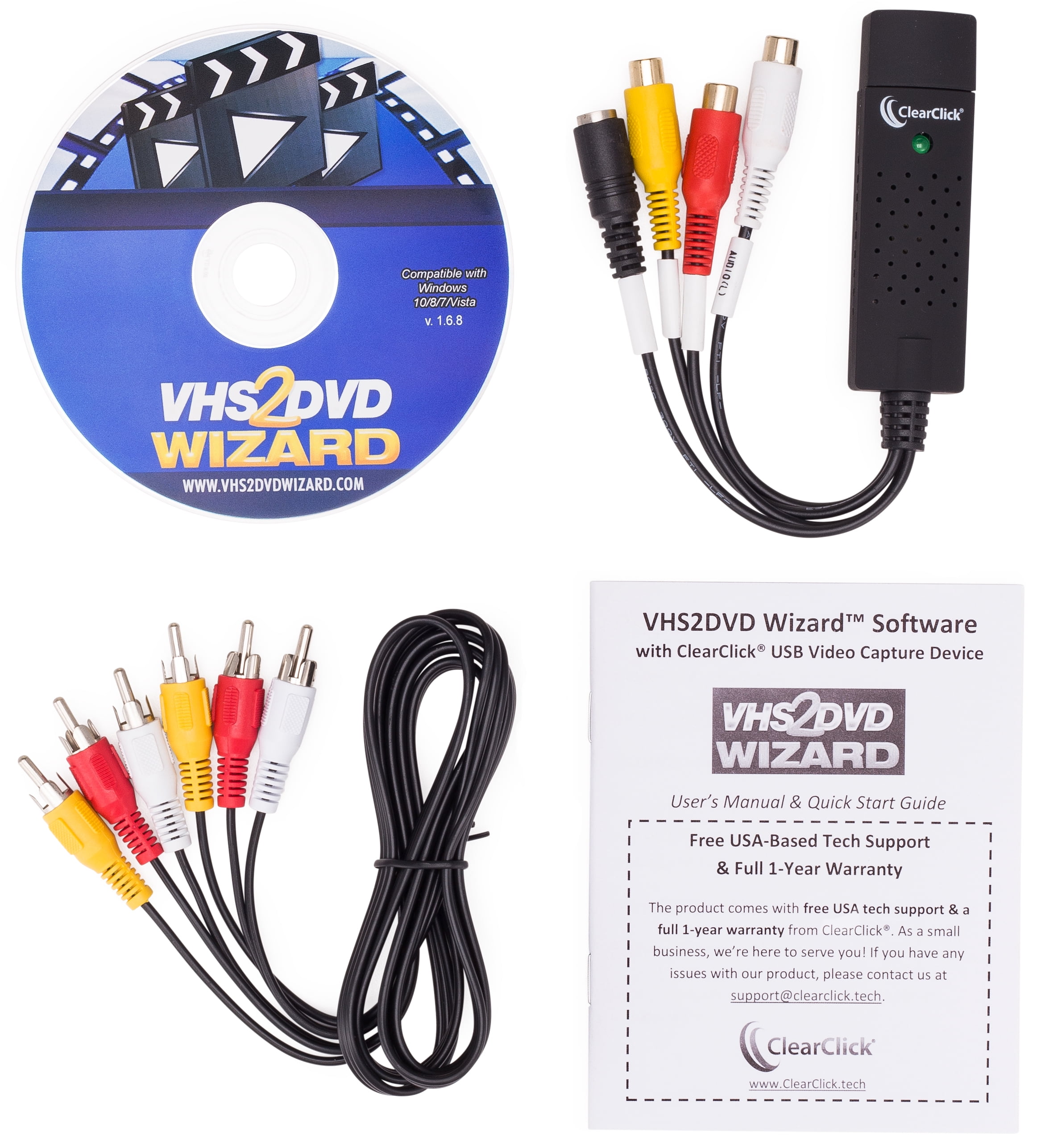
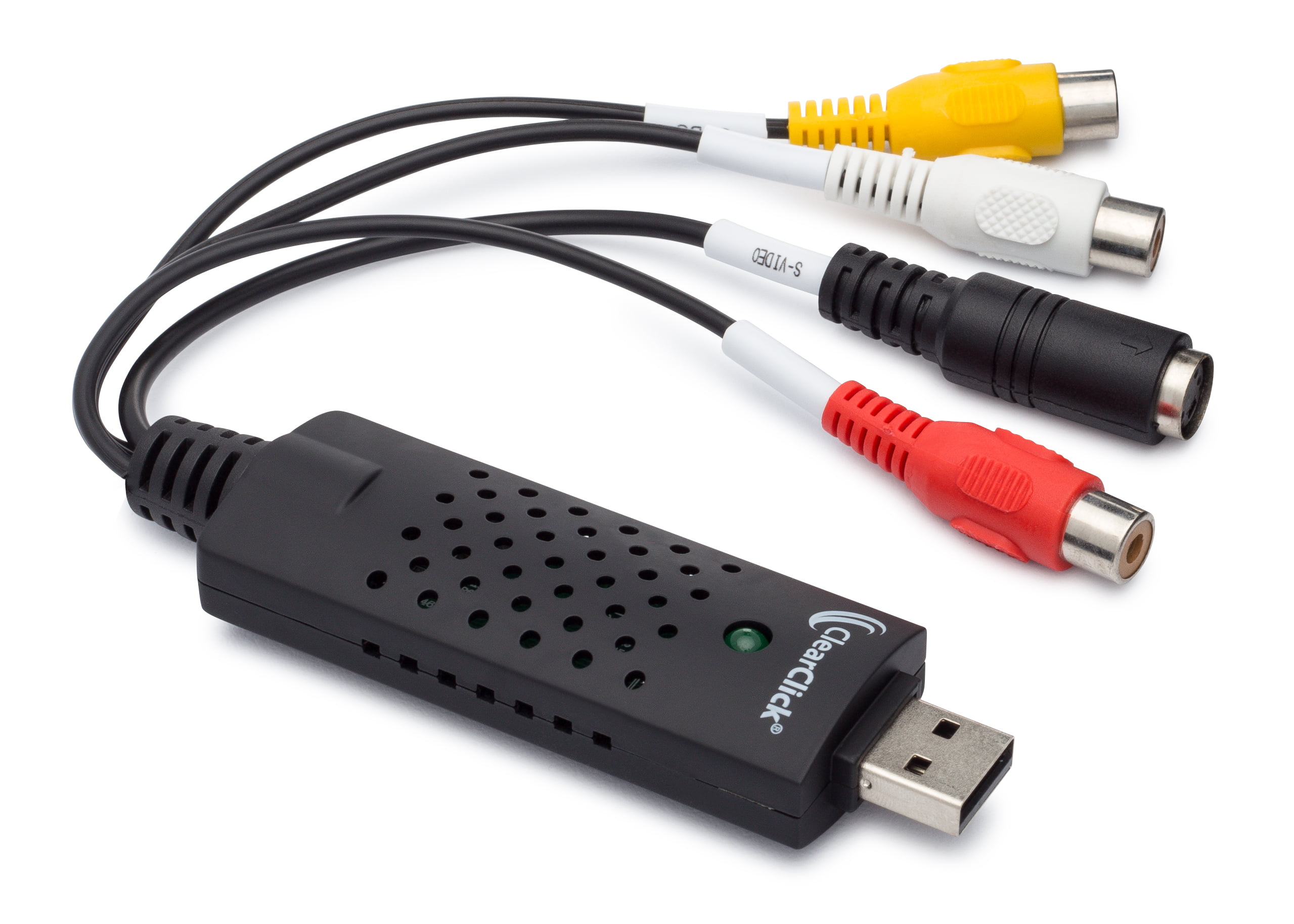
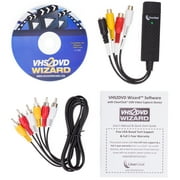
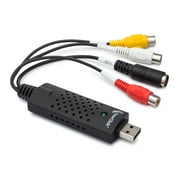
- Got a box of old video tapes in your closet or basement? Turn them into DVD or digital video file!The VHS To DVD Wizard software from ClearClick makes this easy by providing you with a step-by-step, wizard software format. Plus, there's a simple user's manual (included in digital PDF format on the CD) that you can actually understand, because it's written in everyday language! Here's how this conversion system works.Step #1: Install the ClearClick VHS To DVD Wizard Software.Just insert the software CD to install the VHS To DVD Wizard and associated driver files.Step #2: Plug in the ClearClick USB Video Grabber.Plug in the included ClearClick USB Video Grabber into your PC. Your computer will install it automatically.Step #3: Connect Your VCR.Connect your VCR to your USB video grabber with an RCA audio/video cable, and start playing a VHS tape in your VCR. Note: a VCR and RCA audio/video cable are not included.Step #4: Capture Your Video.Click Capture in the software and your video will start transferring to your computer! You can either capture your video to a digital video file on your computer so that you can edit it, or you can burn your video directly to DVD as you capture it.Step #5: Edit and Burn Your Video To DVD.After optionally editing your video with the software to remove unwanted portions, simply burn it to DVD with the Create DVD section. You're done!Finally, as a ClearClick customer, you get access to top-quality, USA-based technical support. Unlike other companies with outsourced tech support or support you have to pay for, ClearClick's top-notch tech support is free and USA-based.SYSTEM REQUIREMENTS:Windows 10/8/7/Vista2.0 GHz Dual Core processor or better recommended2-4 GB RAM or higherDVD burner & Blank DVD-R discs15 GB or more of free hard disk spaceVCR video tape player or camcorder (to play your tapes)
| Computer Software Type | Image, Video & Audio Software |
| Operating System | Windows |
| Brand | ClearClick |
| Number of Users | 1 |
| Delivery Method | Ship to Home |
| Physical Media Format | DVD |
| Version | 1.6.8 |
| Model | VHS2DVD168 |
| Manufacturer | ClearClick |
| Has Written Warranty | No |
| Item Weight | 1.5 lbs (680 grams) |
Who Should Buy?

-
Home Movie Enthusiasts
Ideal for users wanting to preserve old VHS tapes into digital formats for easier viewing and storage.
-
Archival Professionals
Great for those needing a reliable solution for digitizing archival footage for personal or professional use.
-
Family Historians
Perfect for families wanting to digitize treasured memories and share them easily with relatives.

-
Tech-Savvy Users
Advanced users may find limited features and capabilities compared to more sophisticated video editing solutions.
MÔ TẢ SẢN PHẨM
Có thắc mắc? Trò chuyện với chúng tôi
Câu hỏi và trả lời của khách hàng
-
câu hỏi:
What software is included in the package?
trả lời: The package includes the VHS2DVD Wizard software. -
câu hỏi:
Does the package include the necessary cables?
trả lời: Yes, the package includes an RCA video cable for connecting the VCR to the USB video grabber. -
câu hỏi:
What is the recommended system requirements for using the software?
trả lời: The recommended system requirements are a Windows 10/8/7/Vista OS, 2.0 GHz Dual Core processor, 2-4 GB RAM, DVD burner and blank DVD-R discs, and 15 GB or more of free hard disk space.
ClearClick Photo, Video & Music Editing Software Editorial Review
ClearClick VHS to DVD Wizard Software with USB Video Capture Device offers an easy solution for transferring your old VHS tapes into digital files, making it perfect for users of all tech levels. The software is straightforward and user-friendly, which is evident from reviews noting the brilliant resolution when converting 8mm camcorder cassettes. Users have praised the device for its simplicity, highlighting the effective functionality and support from tech assistance, though some have expressed minor frustrations with communication being email-based. Overall, this product delivers on its promise of archiving your cherished memories onto DVDs with ease.
Customer Reviews & Ratings
1 điểm của khách hàng
-
5 sao
100%
-
4 sao
0%
-
3 sao
0%
-
2 sao
0%
-
1 sao
0%
Đánh giá sản phẩm này
Chia sẻ suy nghĩ của bạn với các khách hàng khác
ưu
- Brilliant resolution for digital copying
- Simple and straightforward to use
- Effective support from tech assistance
- Easy setup for VHS to digital transfer
- Compatible with Windows operating systems
Nhược điểm
- Software may not support all file formats
Platform Trust & Buyer Confidence

JG
Jazz
Verified buyer
“Easy to use and always helpful and sorts any issues I've had past and present”
1 September 2026 · via Trustpilot
EK
Emmanuel
Verified buyer
“I always receive support when I engage customer service. Overall my experience with UBUY has been top notch. Keep up the good work.”
31 August 2026 · via Trustpilot
F
fnd
Verified buyer
“The delivery was fast and the product came undamaged and authentic.”
29 August 2026 · via Trustpilot
LC
Leana
Verified buyer
“Ubuy is extremely efficient and to order online is an easy process. The verity of products to buy is really unlimited! My order was urgent and I got it on time. The products are great! Thank you Ubuy!”
25 August 2026 · via Trustpilot
HL
Hengo
Verified buyer
“Fast, convenient and cheap. Great store!”
27 August 2026 · via Trustpilot
Thanh toán An toàn
Global Delivery
Easy Returns
Genuine Products
Product Price History
Thông tin quan trọng
- Hạn chế: Đối với các sản phẩm được vận chuyển quốc tế, xin lưu ý rằng bất kỳ chính sách bảo hành nào của nhà sản xuất có thể không còn hiệu lực; các tùy chọn dịch vụ của nhà sản xuất có thể không khả dụng; hướng dẫn sử dụng sản phẩm, hướng dẫn và cảnh báo an toàn có thể không có bằng ngôn ngữ của quốc gia đến; các sản phẩm (và các tài liệu đi kèm) có thể không được thiết kế theo các tiêu chuẩn, thông số kỹ thuật và các yêu cầu ghi nhãn của quốc gia đến; và các sản phẩm có thể không phù hợp với điện áp của quốc gia đến cũng như các tiêu chuẩn khác về điện (cần phái sử dụng đầu nối hoặc bộ chuyển đổi nếu thích hợp). Người nhận có trách nhiệm đảm bảo rằng sản phẩm có thể được nhập khẩu hợp pháp đến quốc gia đến. Khi đặt hàng từ Ubuy hoặc các chi nhánh của Ubuy, người nhận là nhà nhập khẩu trong hồ sơ, đồng thời phải tuân thủ tất cả các luật cũng như quy định của quốc gia đến.
- Không phải tất cả các sản phẩm được liệt kê trên Ubuy đều được rao bán, vì Ubuy là một công cụ tìm kiếm toàn cầu. Sản phẩm phải tuân theo các quy định về xuất khẩu/thương mại.
VND 1461740
Đặt hàng ngay bây giờ và nhận hàng vào khoảng Thứ Bảy, Tháng 9 12
This item is not restrict in my country.(Please click on above link if this item is not restrict in your country, So our team will review and allow.)
QTY:
Chỉ còn 12 sản phẩm trong kho.
Secured transaction
PCI DSS compliant and ISO 27001:2022 certified, with encrypted payments and full buyer protection on every order.
Our Top Logistics Partners
Fastest cross-border delivery
Các tính năng và lợi ích
- Convert any video tape (VHS) to DVD or digital video file
- Step-by-step wizard software format
- Includes USB video capture device and RCA video cable
- Edit and remove unwanted sections from transferred video
- Transfer video tapes directly to DVD with Direct2DVD(TM) feature
- Free USA-based tech support from ClearClick
Ubuy Assurance
Experience worry-free shopping with 100% original products, PCI DSS-compliant payment security, ISO 27001-certified data protection, the fastest cross-border delivery, free returns *, and secure packaging on every order.